

Penetration testing has always involved trade-offs. You either go manual, which is deep but slow and expensive. Or you go automated, which is fast but shallow and easy to outsmart.
Guardian occupies a central position, making it particularly intriguing. It is an enterprise-grade, AI-driven framework for automating penetration testing by integrating large language models with established security tools. This combination provides adaptive, intelligent security evaluations, along with evidence collection that security teams can effectively utilise.
Let's break down what that really means.
The Problem With Traditional Pentesting Automation
Most automated pentesting tools follow a rigid flow:
- Scan the target
- Run predefined checks
- Dump a report
- Call it a day
This works for known vulnerabilities, but falls apart when:
- The app behaves differently than expected
- The vulnerability requires context
- Chained exploits are involved
- Human reasoning is required
Attackers don't follow scripts. Why should defenders?
What Guardian Does Differently
Guardian treats penetration testing as a reasoning problem, not just a scanning problem.
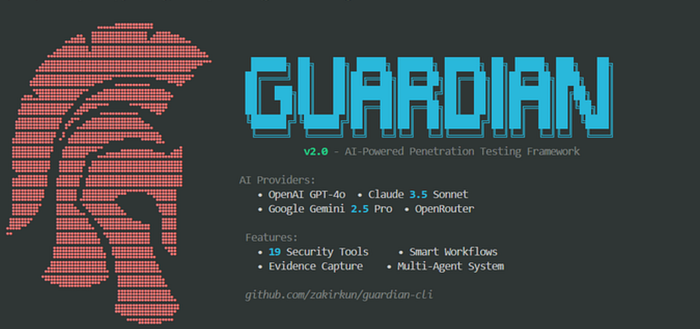
Guardian combines:
- Multiple AI providers
- OpenAI GPT-4
- Claude
- Google Gemini
- OpenRouter (for model flexibility)
- Battle-tested security tools
- Network scanners
- Web exploitation frameworks
- Recon and enumeration tools
- An orchestration layer
- That decides what to test next
- Based on what was already discovered
Instead of running everything blindly, Guardian thinks before acting.
Multi-Model AI: Why It Matters
Different AI models excel at different tasks.
Guardian doesn't lock itself into one.
- GPT-4:- Strong reasoning and vulnerability analysis
- Claude:- Long-context understanding and report clarity
- Gemini:- Pattern recognition and data synthesis
- OpenRouter:- Provider abstraction and fallback logic
This means Guardian can:
- Cross-verify findings
- Reduce hallucinations
- Adapt if one provider fails or underperforms
In practice, this looks like AI collaboration, not AI dependency.
How Guardian Thinks During a Test
Let's say Guardian discovers an open port and a web service.
A traditional scanner might stop at:
"Port 8080 open. Possible web service."
Guardian goes further.
Step 1: Observation
{
  "port": 8080,
  "service": "HTTP",
  "headers": {
    "Server": "Apache Tomcat"
  }
}
Step 2: AI-Driven Reasoning
The AI layer asks:
- Is this version vulnerable?
- Does this service expose an admin panel?
- Is authentication required?
- What exploitation paths make sense?
Step 3: Adaptive Action
Guardian then chooses the next tool or technique:
if service == "Apache Tomcat":
    run("tomcat_manager_check")
    attempt("default_credentials")
Start
Basic Commands
# List available workflows
python -m cli.main workflow list

# View AI providers and models
python -m cli.main models
# Run with specific provider
python -m cli.main workflow run --name web_pentest --target example.com --provider openai
Example Usage Scenarios
1. Quick Web Application Pen Test
# Fast security check with evidence capture
python -m cli.main workflow run --name web_pentest --target https://dvwa.csalab.app
Expected Output:
- HTTP discovery with httpx
- Vulnerability scan with nuclei
- Full evidence linking (commands + outputs)
- Markdown report with findings
2. Comprehensive Network Assessment
# Full network penetration test
python -m cli.main workflow run --name network --target 192.168.1.0/24
3. Custom Workflow with Parameters
# Run with workflow-specific parameters
# Parameters in workflow YAML override config defaults
python -m cli.main workflow run --name web_pentest --target example.com
Workflow Parameter Priority:
- Workflow YAML parameters (highest priority)
- Config file parameters
- Tool defaults (lowest priority)
4. Generate Report from Session
# Create HTML report with evidence
python -m cli.main report --session 20260203_175905 --format html
5. Switch AI Providers
# Use OpenAI GPT-4
python -m cli.main workflow run --name web_pentest --target example.com --provider openai

# Use Claude
python -m cli.main workflow run --name web_pentest --target example.com --provider claude
# Use Gemini
python -m cli.main workflow run --name web_pentest --target example.com --provider gemini
Windows Users: Use
python -m cli.maininstead ofguardian
Configuration
Complete Configuration Reference
Edit config/guardian.yaml to customize Guardian's behavior:
# AI Configuration
ai:
  provider: openai  # openai, claude, gemini, openrouter

  openai:
    model: gpt-4o
    api_key: sk-your-key  # Or use OPENAI_API_KEY env var

  claude:
    model: claude-3-5-sonnet-20241022
    api_key: null

  gemini:
    model: gemini-2.5-pro
    api_key: null

  temperature: 0.2
  max_tokens: 8000

# Penetration Testing Settings
pentest:
  safe_mode: true              # Prevent destructive actions
  require_confirmation: true   # Confirm before each step
  max_parallel_tools: 3        # Concurrent tool execution
  max_depth: 3                 # Maximum scan depth
  tool_timeout: 300            # Tool timeout in seconds
# Output Configuration
output:
  format: markdown             # markdown, html, json
  save_path: ./reports
  include_reasoning: true
  verbosity: normal            # quiet, normal, verbose, debug
# Scope Validation
scope:
  blacklist:                   # Never scan these
    - 127.0.0.0/8
    - 10.0.0.0/8
    - 172.16.0.0/12
    - 192.168.0.0/16
  require_scope_file: false
  max_targets: 100
# Tool Configuration (defaults)
tools:
  httpx:
    threads: 50
    timeout: 10
    tech_detect: true

  nuclei:
    severity: ["critical", "high", "medium"]
    templates_path: ~/nuclei-templates

  nmap:
    default_args: "-sV -sC"
    timing: T4
Workflow Parameters
Create custom workflows in workflows/ directory:
# workflows/custom_web.yaml
name: custom_web_assessment
description: Custom web security testing

steps:
  - name: http_discovery
    type: tool
    tool: httpx
    parameters:
      threads: 100        # Override config default (50)
      timeout: 15         # Override config default (10)
      tech_detect: true

  - name: vulnerability_scan
    type: tool
    tool: nuclei
    parameters:
      severity: ["critical", "high"]  # Override config
      templates_path: ".shared/nuclei/templates/"

  - name: generate_report
    type: report
    # Format will use config default (markdown)
Parameter Priority:
- Workflow parameters override config parameters
- Config parameters override tool defaults
- Self-contained, reusable workflows
Architecture Overview
Guardian Architecture:
┌─────────────────────────────────────────┐
│         AI Provider Layer               │
│  (OpenAI, Claude, Gemini, OpenRouter)   │
└─────────────────────────────────────────┘
                 │
┌─────────────────────────────────────────┐
│       Multi-Agent System                │
│  Planner → Tool Agent → Analyst →      │
│            Reporter                      │
└─────────────────────────────────────────┘
                 │
┌─────────────────────────────────────────┐
│      Workflow Engine                    │
│  - Parameter Priority                   │
│  - Evidence Capture                     │
│  - Session Management                   │
└─────────────────────────────────────────┘
                 │
┌─────────────────────────────────────────┐
│      Tool Integration Layer             │
│  (19 Security Tools)                    │
└─────────────────────────────────────────┘
Project Structure
guardian-cli/
├── ai/                    # AI integration
│   └── providers/         # Multi-provider support
│       ├── base_provider.py
│       ├── openai_provider.py
│       ├── claude_provider.py
│       ├── gemini_provider.py
│       └── openrouter_provider.py
├── cli/                   # Command-line interface
│   └── commands/         # CLI commands (init, scan, recon, etc.)
├── core/                  # Core agent system
│   ├── agent.py          # Base agent
│   ├── planner.py        # Planner agent
│   ├── tool_agent.py     # Tool selection agent
│   ├── analyst_agent.py  # Analysis agent
│   ├── reporter_agent.py # Reporting agent
│   ├── memory.py         # State management
│   └── workflow.py       # Workflow orchestration
├── tools/                 # Pentesting tool wrappers
│   ├── nmap.py           # Nmap integration
│   ├── masscan.py        # Masscan integration
│   ├── httpx.py          # httpx integration
│   ├── subfinder.py      # Subfinder integration
│   ├── amass.py          # Amass integration
│   ├── nuclei.py         # Nuclei integration
│   ├── sqlmap.py         # SQLMap integration
│   ├── wpscan.py         # WPScan integration
│   ├── whatweb.py        # WhatWeb integration
│   ├── wafw00f.py        # Wafw00f integration
│   ├── nikto.py          # Nikto integration
│   ├── testssl.py        # TestSSL integration
│   ├── sslyze.py         # SSLyze integration
│   ├── gobuster.py       # Gobuster integration
│   ├── ffuf.py           # FFuf integration
│   └── ...               # 15 tools total
├── workflows/             # Workflow definitions (YAML)
├── utils/                 # Utilities (logging, validation)
├── config/                # Configuration files
├── docs/                  # Documentation
└── reports/               # Generated reports
Evidence Capture
Finding a vulnerability is useless if you can't prove it.
Guardian automatically captures:
- Request and response logs
- Screenshots (for web vulnerabilities)
- Command output
- Exploit steps taken
- AI reasoning trail (why this test was run)
Example evidence structure:
{
  "vulnerability": "Unauthenticated Tomcat Manager Access",
  "evidence": {
    "request": "GET /manager/html",
    "response_code": 200,
    "screenshot": "manager_dashboard.png"
  }
}
This matters for:
- Compliance
- Internal security reviews
- Executive reporting
- Legal defensibility
Why This Is Enterprise-Grade
Guardian isn't built for "run it once and forget it" usage.
It supports:
- Repeatable assessments
- Consistent reporting
- Model provider flexibility
- Scalable testing workflows
- Clear audit trails
For enterprises, that's non-negotiable.
You don't just want to know what's broken. You want to know how you found it, why it matters, and how to prove it.
Guardian vs Traditional Pentesting Tools
| Feature              | Traditional Tools | Guardian      |
| -------------------- | ----------------- | ------------- |
| Static checks        | Yes               | No            |
| AI reasoning         | No                | Yes           |
| Adaptive workflows   | No                | Yes           |
| Evidence capture     | Partial           | Comprehensive |
| Multi-model AI       | No                | Yes           |
| Enterprise readiness | Mixed             | High          |
Where Guardian Fits Best
Guardian shines in environments where:
- Attack surfaces change frequently
- Manual pentests are too slow
- Continuous security validation is needed
- AI-assisted reasoning adds value
Think:
- SaaS platforms
- Large internal networks
- Cloud-native infrastructure
- DevSecOps pipelines
Final Thoughts
Security tooling is moving from automation to intelligence.
Guardian is a strong example of that shift.
By combining:
- Multiple AI models
- Proven security tools
- Adaptive decision-making
- Real evidence capture
Guardian turns penetration testing from a checklist into a thinking system.
And that's exactly what modern security needs.